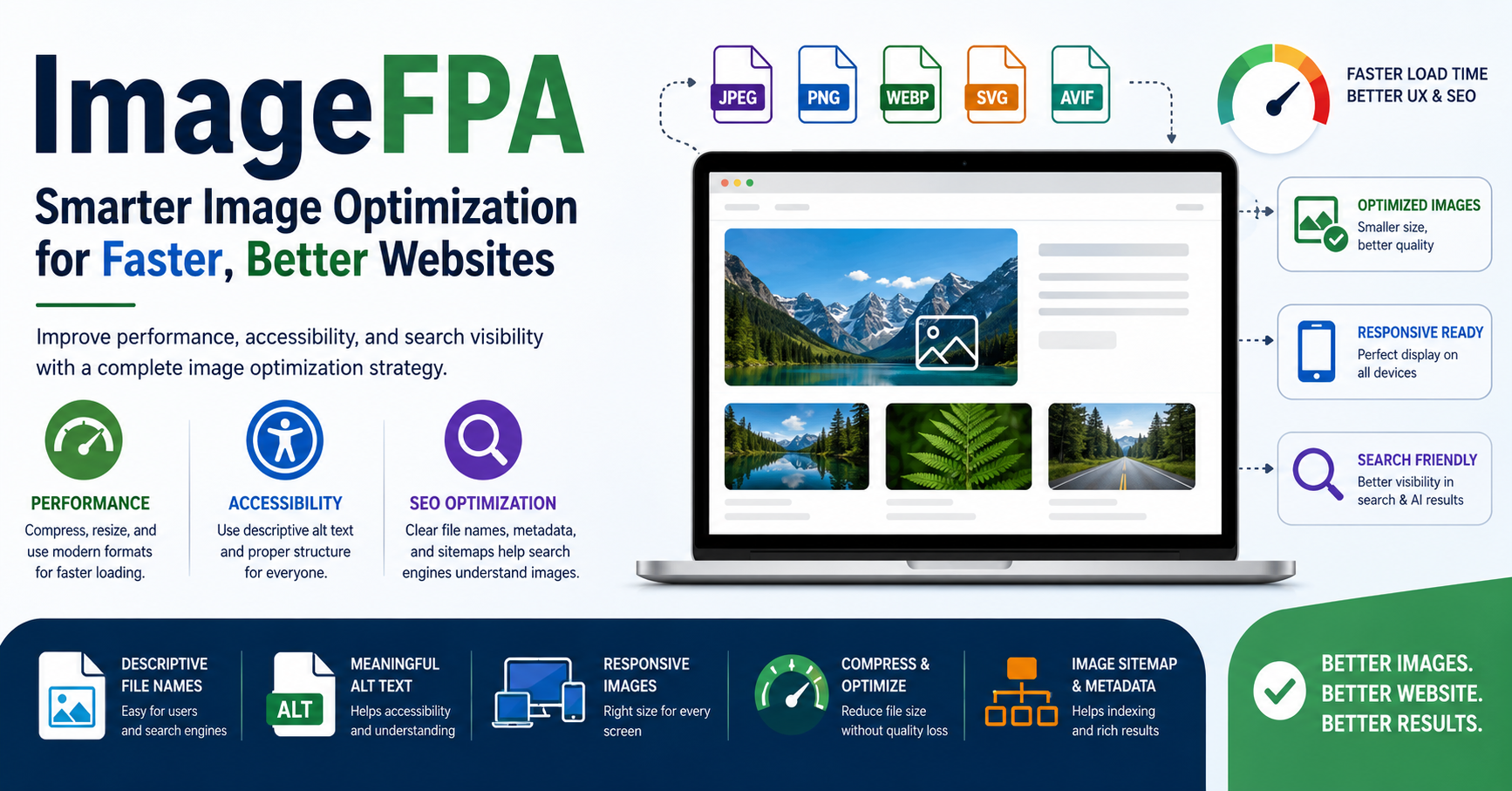
Images can make a website feel premium, helpful, and trustworthy. They can also make it slow, messy, and hard to understand if you upload them without a plan. That is where ImageFPA becomes useful.
Instead of treating images as decoration, this approach treats every image as part of the user experience, search visibility, and website performance. A good image does more than look nice. It loads quickly, explains something clearly, supports the page topic, works on mobile, and remains accessible to people who use assistive tools.
What Is ImageFPA?
ImageFPA is a practical framework for managing, optimizing, and displaying images online. The idea combines three important areas: image performance, accessibility, and search optimization.
In simple words, it helps website owners upload images in a smarter way. That means choosing the right file format, reducing file size, writing useful alt text, using responsive image settings, and making sure images support the page instead of slowing it down.
For bloggers, affiliate site owners, ecommerce stores, news publishers, and business websites, this matters a lot. A heavy image can delay page loading. A missing alt tag can hurt accessibility. A random file name can make the image harder for search engines to understand. A badly cropped featured image can reduce trust before the visitor even starts reading.
Why Image Optimization Matters More in 2026
Search has changed. Google now pays more attention to usefulness, page experience, and content clarity. AI-powered search features also try to understand the full context of a page, not only the words in the article.
That means images need to support the content clearly. A page with original, relevant, well-labeled visuals has a better chance of helping users than a page filled with stock images that add no value.
Image optimization also affects:
- Page speed
- Mobile experience
- Accessibility
- Image search visibility
- User trust
- Click-through rate
- Content quality signals
- Social sharing previews
If your website depends on traffic, images should never be an afterthought.
The Three Core Parts of a Strong Image Strategy
1. Performance
Performance means your images load fast without looking broken or blurry. Large image files are one of the most common reasons a webpage feels slow.
A strong performance workflow includes:
- Compressing images before upload
- Using modern formats when possible
- Avoiding oversized dimensions
- Serving different image sizes for mobile and desktop
- Lazy loading images below the fold
- Keeping hero images fast and visible
- Testing pages with speed tools
For example, a blog featured image does not need to be 5000 pixels wide if it displays at 1200 pixels. Uploading huge files wastes bandwidth and may slow down the first screen of the page.
2. Accessibility
Accessibility means people can understand your content even if they cannot see the image clearly or at all. This is where alt text becomes important.
Good alt text explains the purpose of the image in the context of the page. It should be short, natural, and useful.
Bad alt text:
“image SEO image optimization best image ranking photo”
Good alt text:
“Website image optimization checklist showing file size, alt text, and responsive display”
The second example explains what the image shows. It helps screen reader users and gives search engines better context without keyword stuffing.
3. Search Optimization
Image search optimization helps search engines understand what the image is about and how it connects to the page topic.
Useful image SEO steps include:
- Descriptive file names
- Natural alt text
- Relevant surrounding text
- Clean captions where needed
- Image sitemap support
- Proper structured data for featured images
- Open Graph image settings for social sharing
- High-quality visuals that match the page
Search engines do not rely on one signal only. They look at the image, the page content, metadata, links, and user experience together.
ImageFPA Checklist for Website Owners
| Area | What to Check | Why It Matters |
|---|---|---|
| File format | Use JPEG, PNG, WebP, SVG, or AVIF based on need | Helps balance quality and speed |
| File size | Compress before upload | Reduces loading time |
| Dimensions | Match image size to display size | Prevents wasted bandwidth |
| Alt text | Describe the image naturally | Improves accessibility and context |
| File name | Use clear words instead of random names | Helps organization and search understanding |
| Responsive display | Use mobile-friendly image sizes | Improves user experience |
| Captions | Add only when they help the reader | Gives extra context |
| Featured image | Use a relevant, high-quality visual | Improves first impression and sharing |
| Testing | Check speed and layout after upload | Prevents performance issues |
Best Image Formats and When to Use Them
Different image formats serve different purposes. Choosing the right one can improve both quality and loading speed.
JPEG
JPEG works well for photographs, blog images, and large visuals with many colors. It usually creates smaller files than PNG, but it can lose some detail when compressed too much.
Use JPEG for:
- Blog featured images
- Real photos
- News images
- Lifestyle pictures
- Product photos without transparency
PNG
PNG works better for graphics that need transparency or sharp details. However, PNG files can become large quickly.
Use PNG for:
- Logos with transparent backgrounds
- Screenshots
- Interface graphics
- Simple illustrations
WebP
WebP is a modern format that often gives strong quality at a smaller file size. Many websites now use it for faster loading.
Use WebP for:
- Blog images
- Ecommerce images
- Banners
- Thumbnails
- Mobile-friendly pages
SVG
SVG is best for icons, logos, and simple vector graphics. It stays sharp at any size.
Use SVG for:
- Icons
- Simple logos
- UI graphics
- Line illustrations
AVIF
AVIF can provide excellent compression, but you should test browser support and visual quality before using it everywhere.
Use AVIF for:
- Performance-focused websites
- Large image-heavy pages
- Modern websites with fallback options
How to Write Better Image File Names
A file name should explain the image before anyone opens it. Avoid random names like:
IMG_8921.jpg
photo-final-new-copy.png
untitled-image.webp
Better examples:
image-optimization-checklist.webp
responsive-website-image-example.jpg
compressed-product-photo.webp
A clear file name helps your team manage content and gives search engines another clue about the image topic.
Do not stuff keywords into file names. A natural name is enough.
How to Write Better Alt Text
Alt text should describe meaning, not just objects. Think about why the image appears on the page.
Weak Alt Text
“Laptop image”
Better Alt Text
“Laptop screen showing a website speed test report”
Weak Alt Text
“ImageFPA”
Better Alt Text
“Website image optimization workflow showing performance, accessibility, and SEO steps”
Use alt text when the image adds meaning. If the image is purely decorative, it may not need a detailed description. The goal is not to force keywords into every image. The goal is to help people understand the page.
Common Image Mistakes That Hurt Websites
Many website owners lose speed and quality because of simple mistakes. Here are the most common ones.
Uploading Images Without Compression
Raw images from phones, cameras, or design tools can be very large. Compress them before upload.
Using the Same Image Size Everywhere
A desktop banner, mobile thumbnail, and sidebar image should not always use the same file. Responsive image delivery helps browsers load the right size.
Ignoring Mobile Users
Most visitors may see your page on a phone. If your image looks great on desktop but cuts off important details on mobile, it creates a poor experience.
Writing Keyword-Stuffed Alt Text
Alt text is not a place to repeat keywords. Keep it useful and accurate.
Using Irrelevant Stock Photos
A generic photo may look professional, but it may not help the reader. Use visuals that explain, compare, demonstrate, or support the topic.
Forgetting Featured Image Metadata
Your featured image may appear in social shares, search previews, and content cards. Choose one that represents the page clearly.
A Practical Workflow for Bloggers
Bloggers often upload images quickly because they want to publish fast. A simple workflow can prevent problems.
Before uploading an image:
- Rename the file with a clear name.
- Resize it to the correct width.
- Compress the file.
- Choose the right format.
- Add useful alt text.
- Add a caption only if it helps.
- Preview the page on mobile.
- Test loading speed after publishing.
This process may take a few extra minutes, but it improves the page for readers and search engines.
A Practical Workflow for Ecommerce Sites
Ecommerce websites need images that look trustworthy and load fast. A product image can directly affect sales.
Good ecommerce image practices include:
- Use clean product photos.
- Show multiple angles.
- Keep backgrounds consistent.
- Compress every image.
- Use descriptive product file names.
- Add accurate alt text.
- Include zoom-friendly images without slowing the page.
- Use structured data where relevant.
- Avoid misleading edited photos.
For example, a product image file named black-leather-office-chair-side-view.webp is more useful than IMG_3020.webp.
How This Framework Helps AI Search Visibility
AI search systems try to summarize pages and understand whether content answers a question clearly. Images can help when they support the main topic with useful context.
To make images more helpful for AI-driven search:
- Match images with the page intent.
- Use clear headings near important visuals.
- Add captions for charts, comparisons, or examples.
- Avoid vague decorative images.
- Use original visuals when possible.
- Keep metadata accurate.
- Make the page easy to scan.
This does not mean you should optimize for bots only. The best strategy is still to help real users first. If a visual makes the topic easier to understand, it can also make the page easier for search systems to interpret.
Example: Before and After Image Optimization
Imagine you publish a blog post about healthy meal planning.
Before optimization:
- File name: IMG_4412.jpg
- Size: 4.8 MB
- Alt text: “meal”
- Format: JPEG
- Display: Same image on desktop and mobile
- Caption: None
After optimization:
- File name: healthy-meal-planning-containers.webp
- Size: 180 KB
- Alt text: “Meal prep containers with vegetables, rice, and grilled chicken”
- Format: WebP
- Display: Responsive sizes for mobile and desktop
- Caption: “A simple weekly meal prep example for beginners”
The second version is clearer, lighter, and more useful.
Should Every Website Use This Approach?
Yes, but the level of detail depends on the website.
A small personal blog may only need basic compression, alt text, and file naming. A large ecommerce site may need automated image compression, CDN delivery, structured data, and regular image audits.
The core idea stays the same: every important image should have a purpose.
Tools That Can Help
You do not need expensive software to improve your images. Many free and paid tools can help with compression, resizing, and testing.
Useful tool types include:
- Image compression tools
- CDN image optimization platforms
- WordPress image optimization plugins
- Page speed testing tools
- Accessibility testing tools
- Browser developer tools
- SEO audit tools
The best tool is the one you actually use consistently.
Conclusion
ImageFPA is not just about making images smaller. It is about making images more useful, accessible, fast, and search-friendly.
A strong image strategy helps your pages load better, look more professional, support readers, and give search engines clearer context. It also fits the direction of modern SEO, where user experience and helpful content matter more than tricks.
If your website has hundreds of images, start with your most important pages first. Optimize the featured image, product images, hero visuals, and images that explain key ideas. Small improvements can create a better experience across the whole site.
FAQs
What does ImageFPA mean?
It refers to a structured image optimization approach focused on performance, accessibility, and search optimization. The goal is to make website images faster, clearer, easier to understand, and more useful for both people and search engines.
Is image optimization important for SEO?
Yes. Image optimization can improve page speed, accessibility, image search visibility, and user experience. It also helps search engines understand the visual content on a page.
What is the best image format for websites?
There is no single best format for every use. JPEG works well for photos, PNG is useful for transparency, SVG is best for icons, and WebP or AVIF can help reduce file size while keeping good quality.
How long should alt text be?
Alt text should be short, clear, and meaningful. One natural sentence is usually enough. Avoid stuffing keywords or describing unnecessary details.
Should I use captions on every image?
No. Use captions only when they add helpful context. A chart, comparison image, news photo, or tutorial screenshot may need a caption. A decorative image usually does not.
Can image optimization improve Core Web Vitals?
Yes, especially when large images affect loading speed or layout stability. Proper sizing, compression, responsive delivery, and careful handling of above-the-fold images can improve user experience.
For more updates visit: Connections Hint